
Free and open source / Version 0.4.0
Make music with an agent. Hear every edit land.
Pina Studio is a DAW where Claude Code, Codex or any agent works in your song with you. You play; it writes, arranges, mixes and masters, and every step it takes lands in the song in front of you as an edit you can undo.
pina do command at a time. Watch it get made
Session replay
Watch a beat get built, one command at a time.
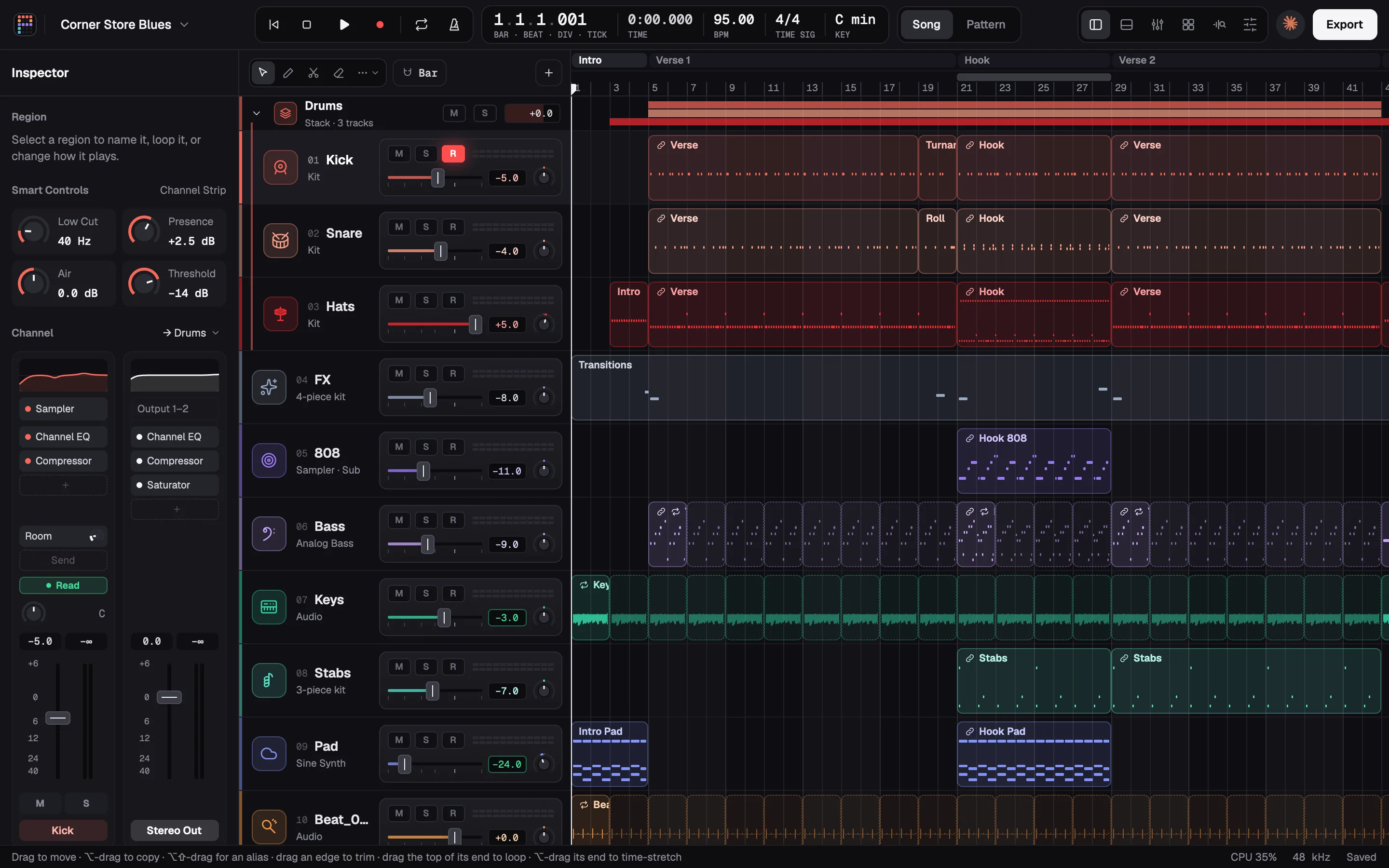
Corner Store Blues was made by a script that works the way an agent does: one pina do command at a time. These are real lines from its build, laid along the song where each one lands. With the song open in Pina Studio, each one shows up on screen as a single edit you can undo.
-
IntentA boom-bap beat at 95 BPM, in C minor.
pina new "Corner Store Blues"pina do song '{"op":"set_tempo","bpm":95}'pina do song '{"op":"set_key","key":"C minor"}'A new song at 95 BPM in C minor, right there in the top bar.
-
IntentA kick from samples, and a pattern for the verse.
pina do song '{"op":"add_track","name":"Kick","instrument":{"sampler":{"zones":[…]}}}'pina do song '{"op":"add_pattern_region","track":0,"start":15360,"length":61440,"step":240,"rows":[…]}'⋯ then the rest of the kit, the same way
A sampler kick playing a 16-bar pattern from bar 5 on sixteenths: tick 15,360 is bar 5, and a step of 240 is a sixteenth.
-
IntentMark where the hook comes in.
pina do song '{"op":"add_marker","tick":76800,"name":"Hook"}'A Hook marker at bar 21. At 3,840 ticks to a bar, 76,800 is twenty bars in.
-
IntentBring the bass back for verse two, tighten it, and slow the keys loop for the break.
pina do song '{"op":"add_alias","track":5,"region":0,"start":107520}'pina do song '{"op":"edit_notes","track":5,"region":0,"edit":{"kind":"quantize","grid":240,"strength":1}}'pina do song '{"op":"stretch_region","track":6,"region":1,"length":7680}'The bass comes back at bar 29 as an alias, its notes snapped to sixteenths at full strength; the keys loop plays at half time in the break.
-
IntentMix it, then master it to the genre's loudness.
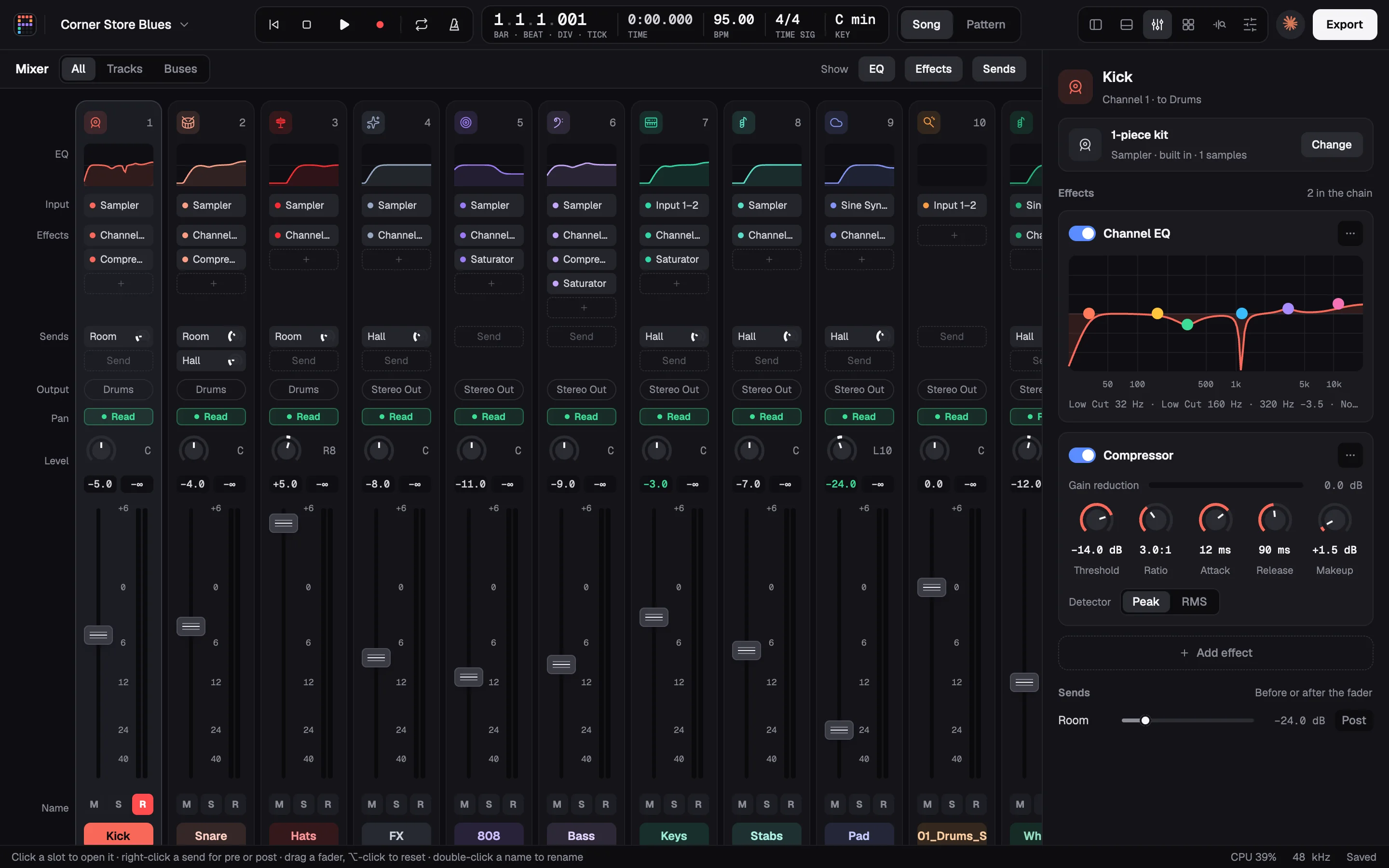
pina mix songpina master songEach part's EQ, compression, saturation, pan, reverb and level, set from its own measured sound. Then a master at the genre's loudness.
-
IntentWhat's still wrong with it?
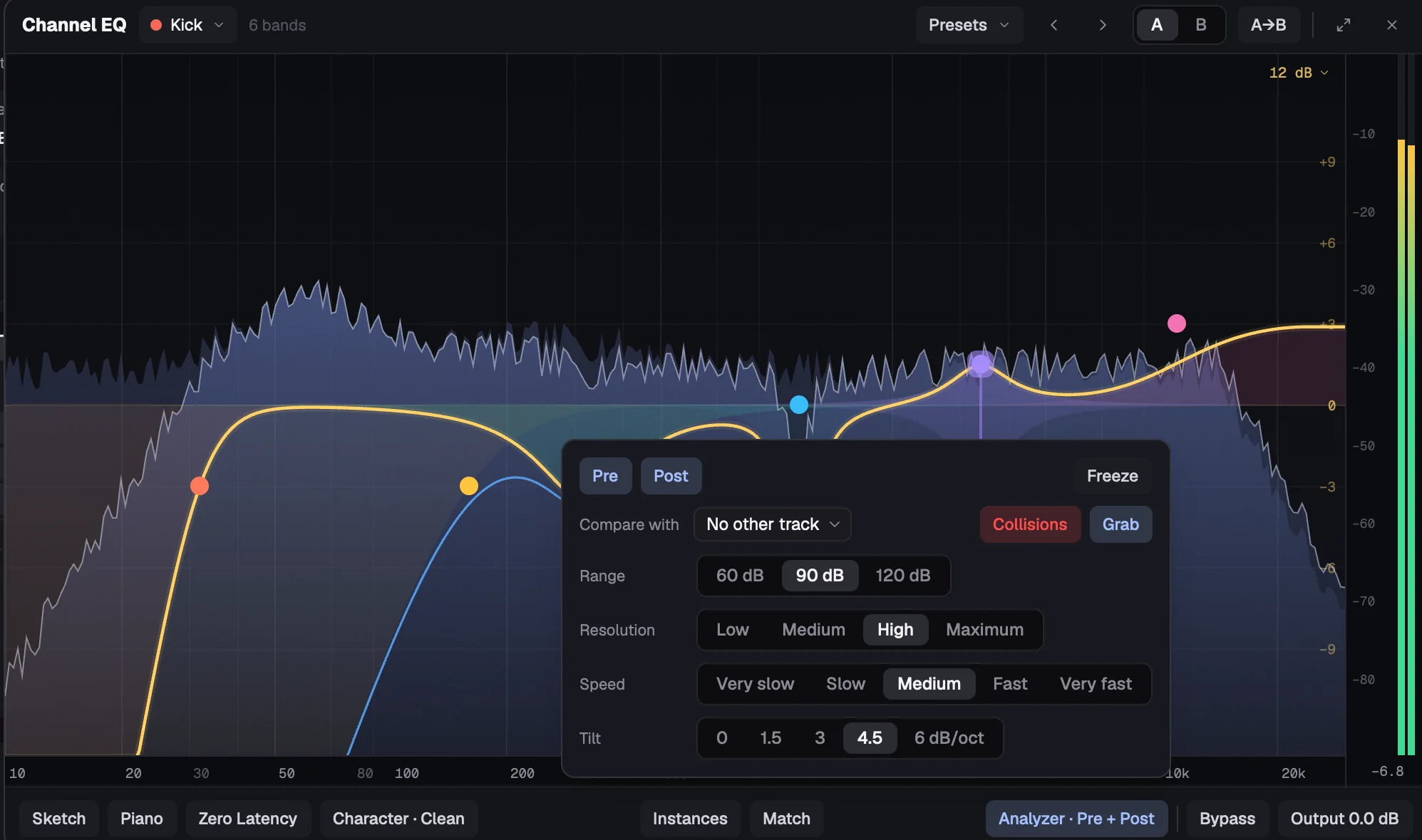
pina critique songWhat's wrong, worst first, from clashing notes to tonal balance, each with the command that fixes it.
-
Your noteMake the hook hit harder.
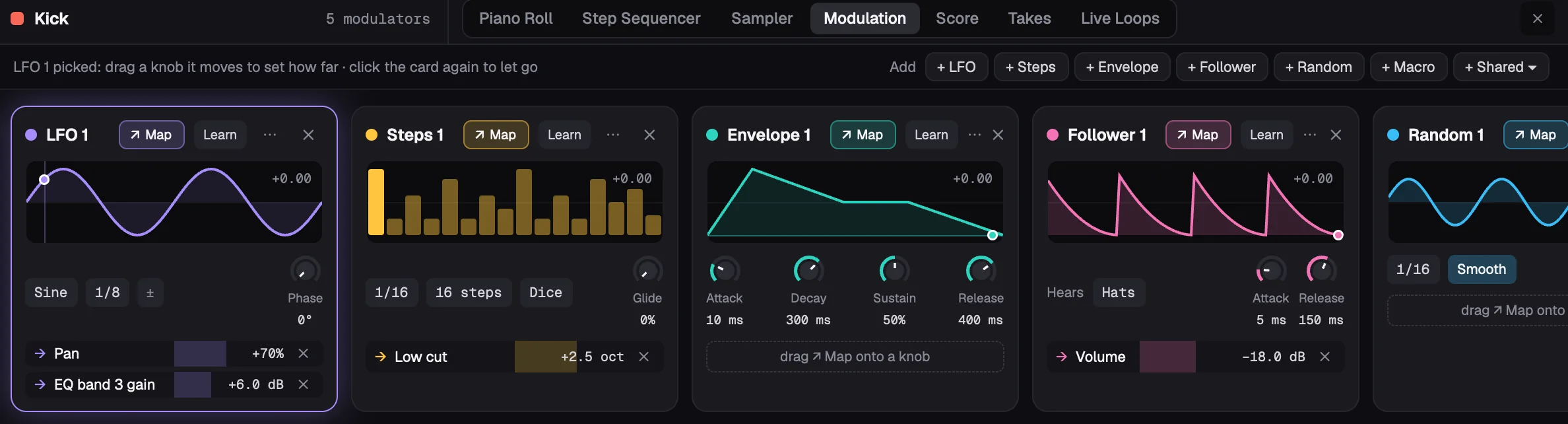
pina ask song "make the hook hit harder"Notes in plain words, answered in edits you can hear and undo. And every track, region and knob stays yours, down to the Kick's five modulators.
Agents, built in
Give notes like you would to a producer.
Claude Code and Codex are the Studio Agent's engines ⌘L, or take your notes from a terminal. Each runs on your own account, with Pina Studio's tools as its only tools.
-
“make the hook hit harder”
The critic checks for a hook weaker than its verse.
-
“write a bassline that follows the chords”
Theory writes it in key, voice-led, with the genre's groove.
-
“find a dusty keys loop in C minor”
Samples are found by what they sound like.
-
“flip the vocal into a hook”
Smart Slice cuts it at its words; the agent re-sequences them.
-
“what's wrong with it? fix the worst first”
Every problem comes with the command that fixes it.
-
“master it to the genre's loudness”
Mix targets are measured from released songs.
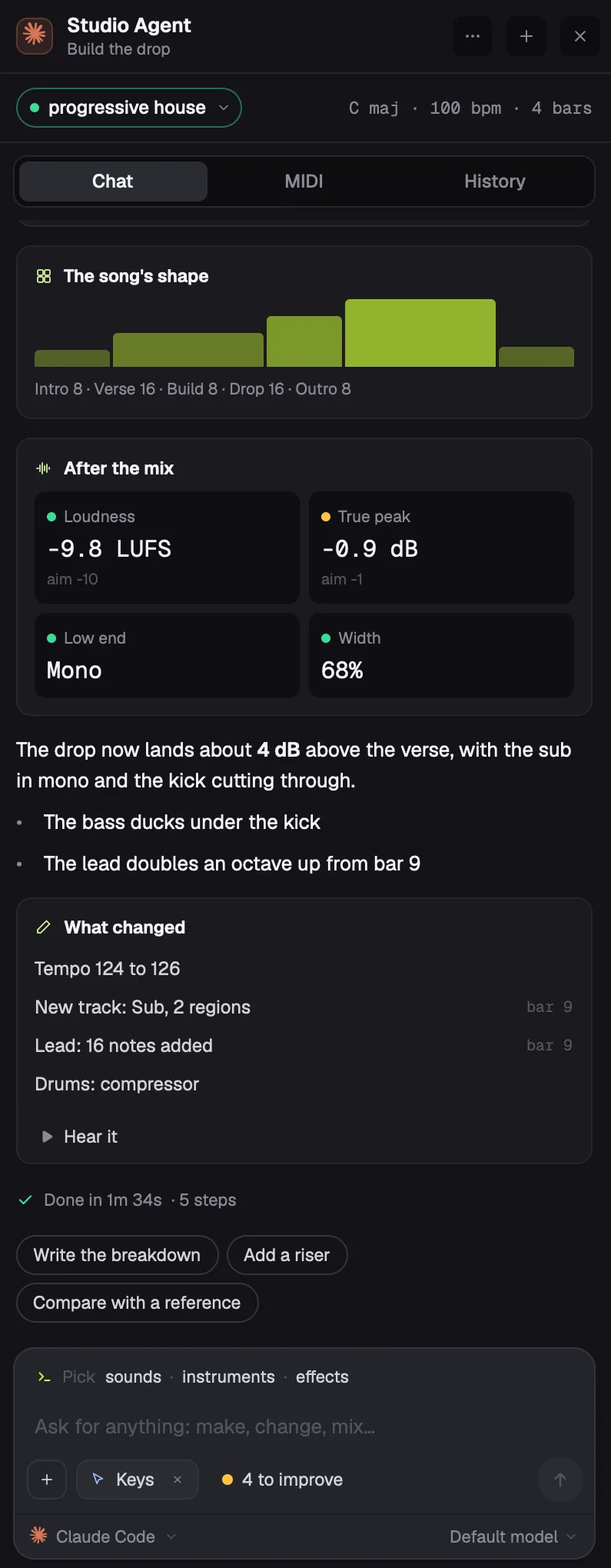
In the room, not in a chat window.
With the song open, the agent shows up the way a collaborator does in a shared file.
-
1
Its avatar sits in the top bar.
-
2
An outline and a cursor mark what it just changed.
You see the edit where it happened, not in a log.
-
3
Each edit is one undo.
Keep what you like. Step back through the rest.
Notes from a terminal show up in the panel too: pina ask <song> "…"
What Pina Studio brings
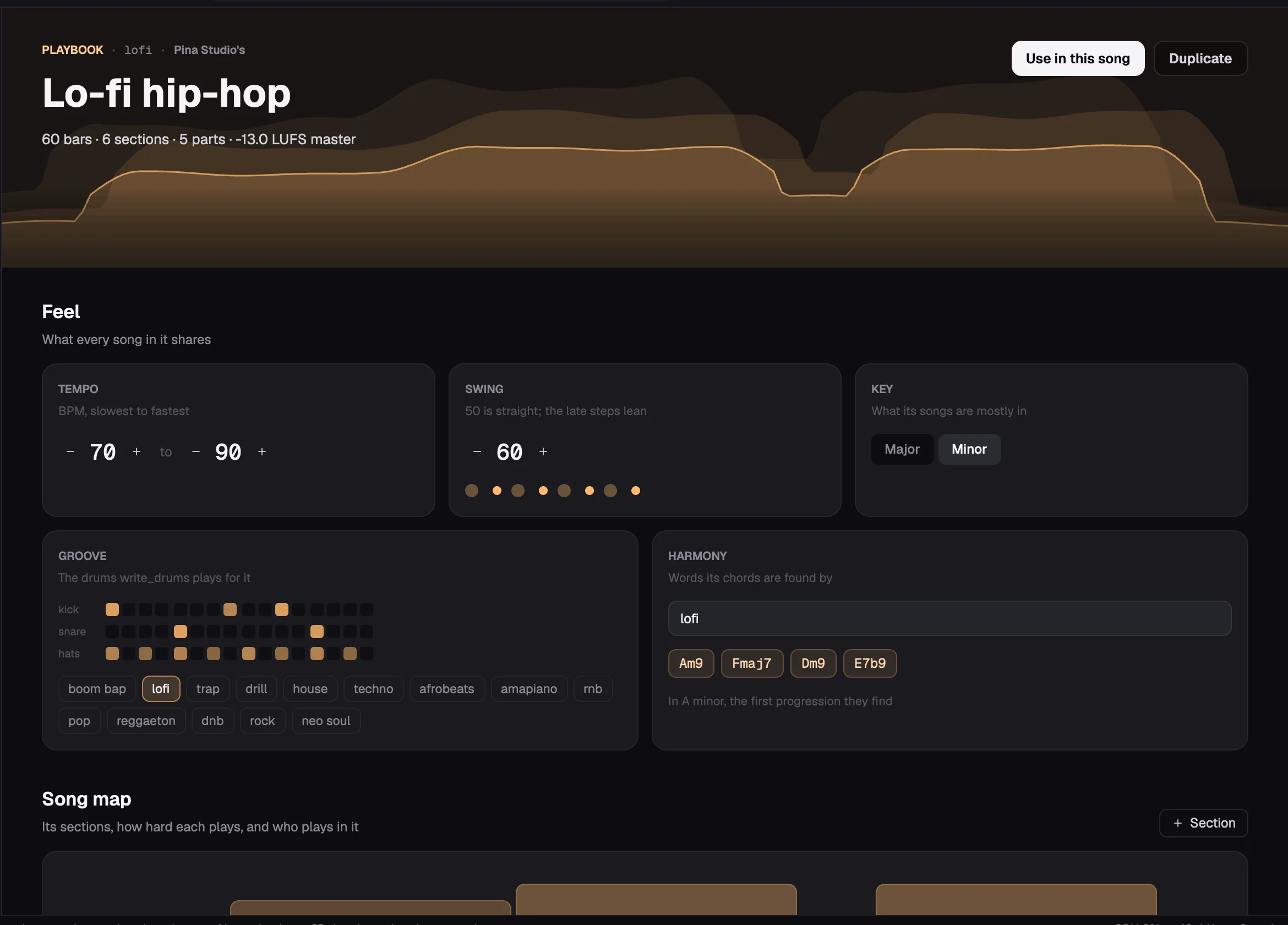
An agent can't hear, and isn't a musician. So Pina Studio does the parts it would get wrong.
-
01
Playbooks
Yours, and only if you want one: a genre's tempo, swing, keys, the parts and how to write them, sections, progressions and mix targets. Make one from a song you study, keeping its chords, drums and each section's loudness, and the agent follows it when you ask.
pina playbook lofi -
02
Theory
Chords and progressions for a key and a mood. Bass, chords, melodies and drums written in key, voice-led, with a genre's groove.
pina theory "A minor" dark trap -
03
A critic
What's wrong, worst first: clashing notes, a bass off its chords, robotic velocities, a hook weaker than its verse, clipping, tonal balance. Each comes with the command that fixes it.
pina critique song -
04
Mixing by measurement
Each part's EQ, compression, saturation, pan, reverb and level, set from its own measured sound. Then mastered to the genre's loudness.
pina mix songpina master song -
05
Sounds and samples
Real presets from the instruments you have installed. Samples found by what they sound like, and kits that fit the song's key and tempo.
pina samples find "dusty keys loop in C minor 95 bpm" -
06
Song Study
A finished song taken apart from its audio: tempo, key, chords, form, groove, and its lyrics' rhymes and hooks. Only its title, artist and length are sent anywhere, never its audio.
pina study song.mp3
Sampling
Chop anything. Flip it like a producer.
Smart Slice listens to what's in a recording, a beat, a voice in a beat or a voice alone, and slices it that way in one click, each slice named for what it sounds like. Take a song's stems apart with a separation model you add. Then the Studio Agent flips the chops into hooks and grooves you can hear before you keep them.
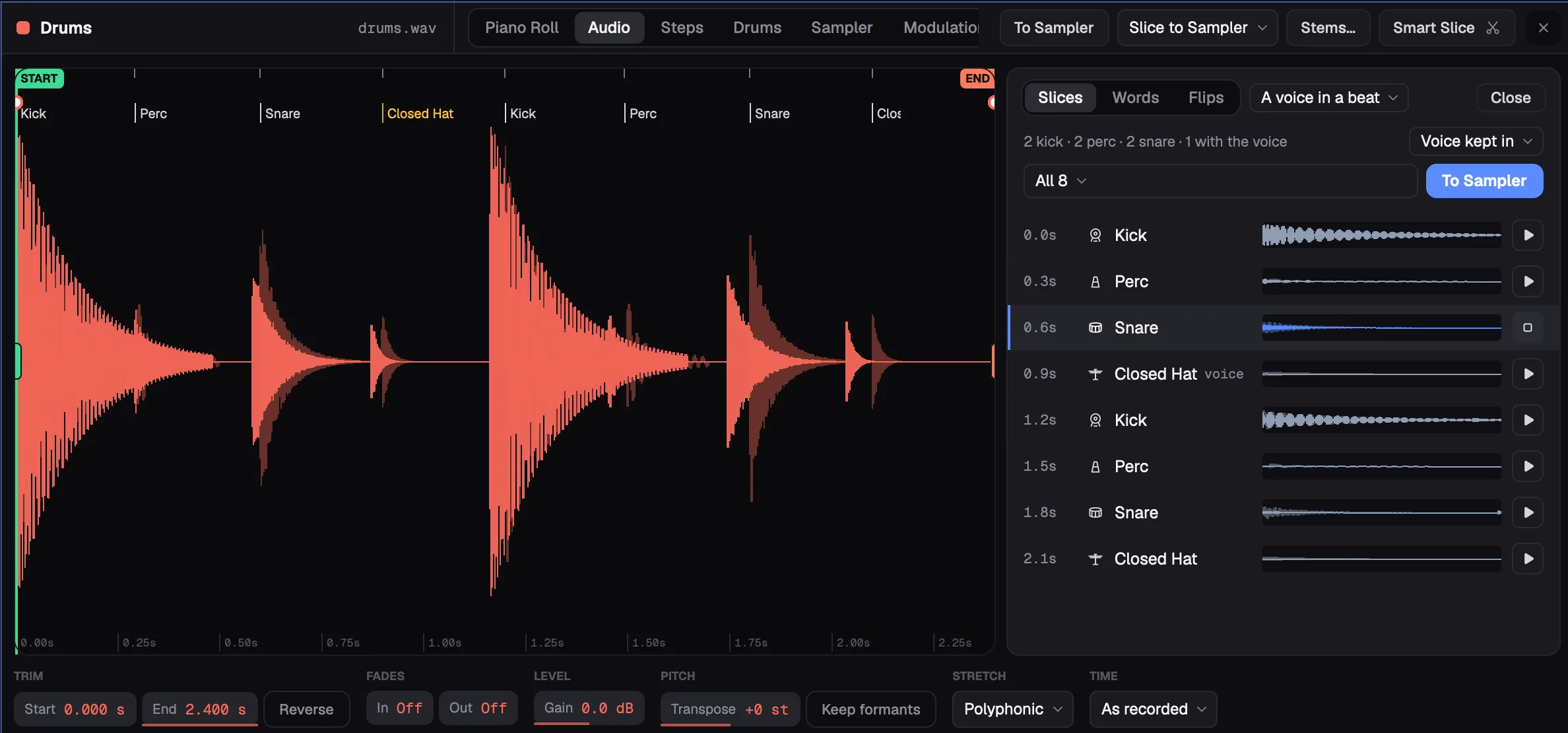
A beat cut at its hits, each slice named by what it sounds like: kick, snare, closed hat, a chord in A minor. Hear one, narrow them by kind, and put them on a Sampler, a pad each, played where they were. A voice in a beat is chopped with it, the way a soul sample is.
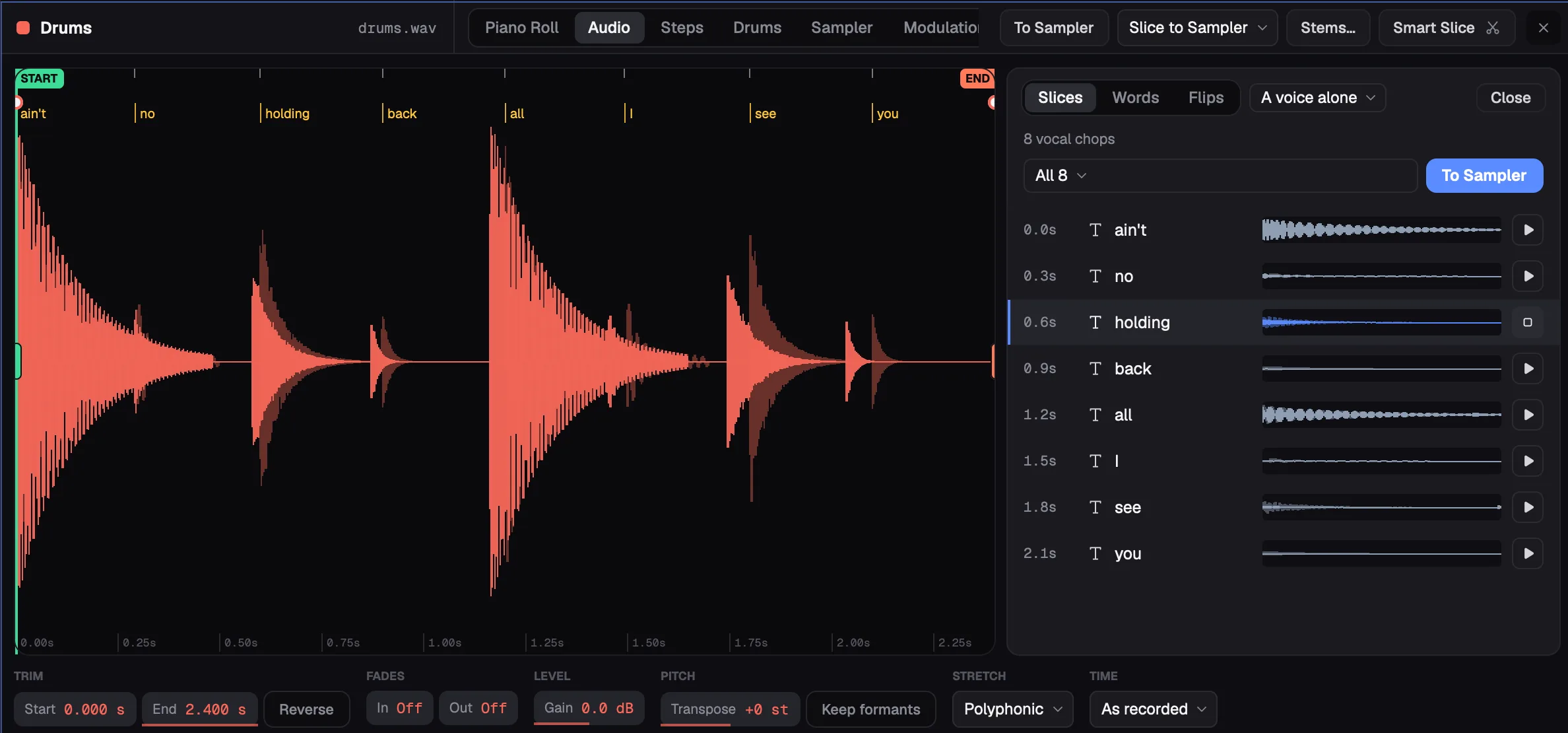
A voice alone becomes vocal chops, named by the words sung in them once Whisper has heard them. It knows a voice by its sound, never its file name, and if it hears wrong, you put it right in one click.
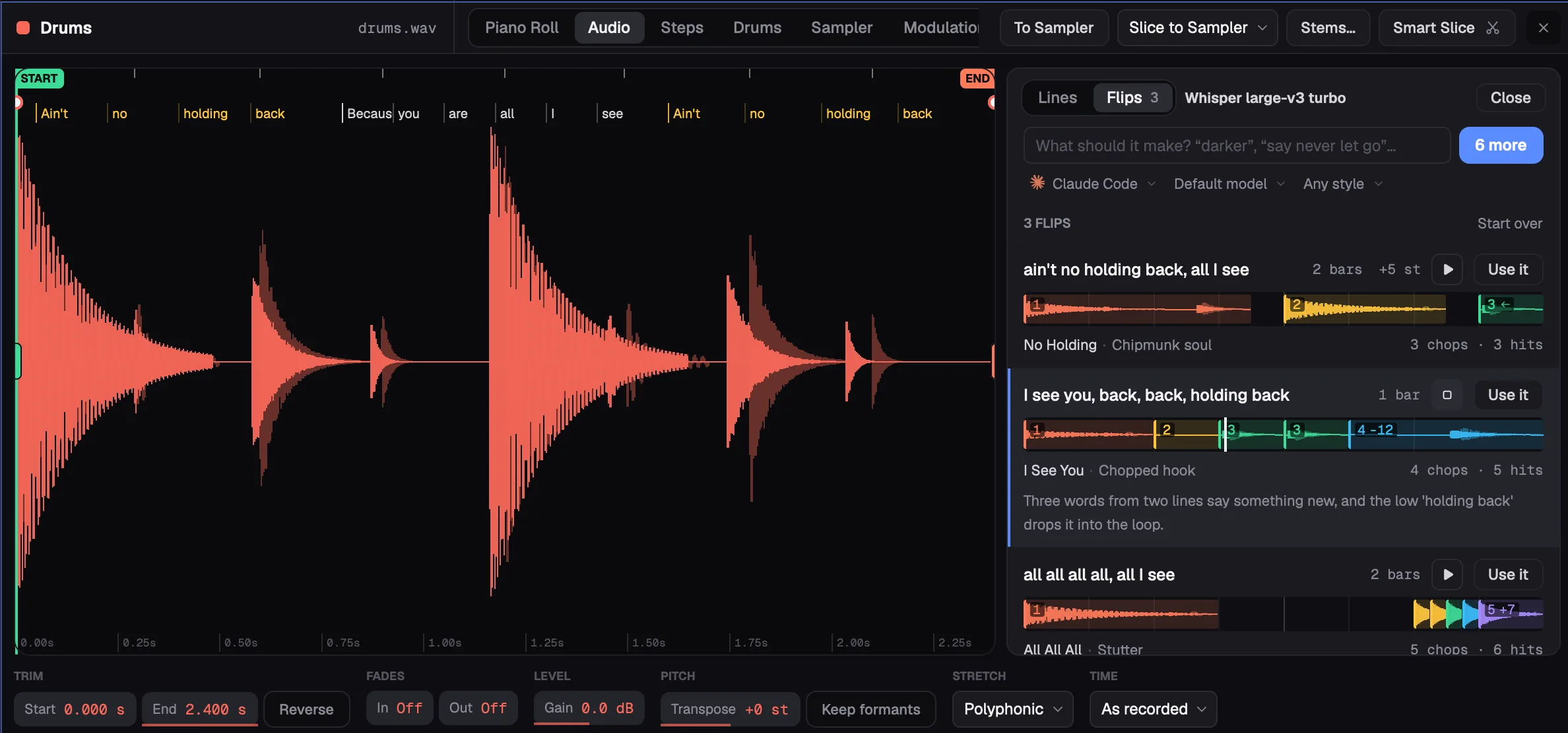
The Studio Agent reads the words or the slices and writes flips the way a producer would: words in a new order so they say something new, pitched up like a soul sample, stuttered, answered, reversed into the downbeat. Each streams in as it's written; hear it loop, then put it on a Sampler with one click.
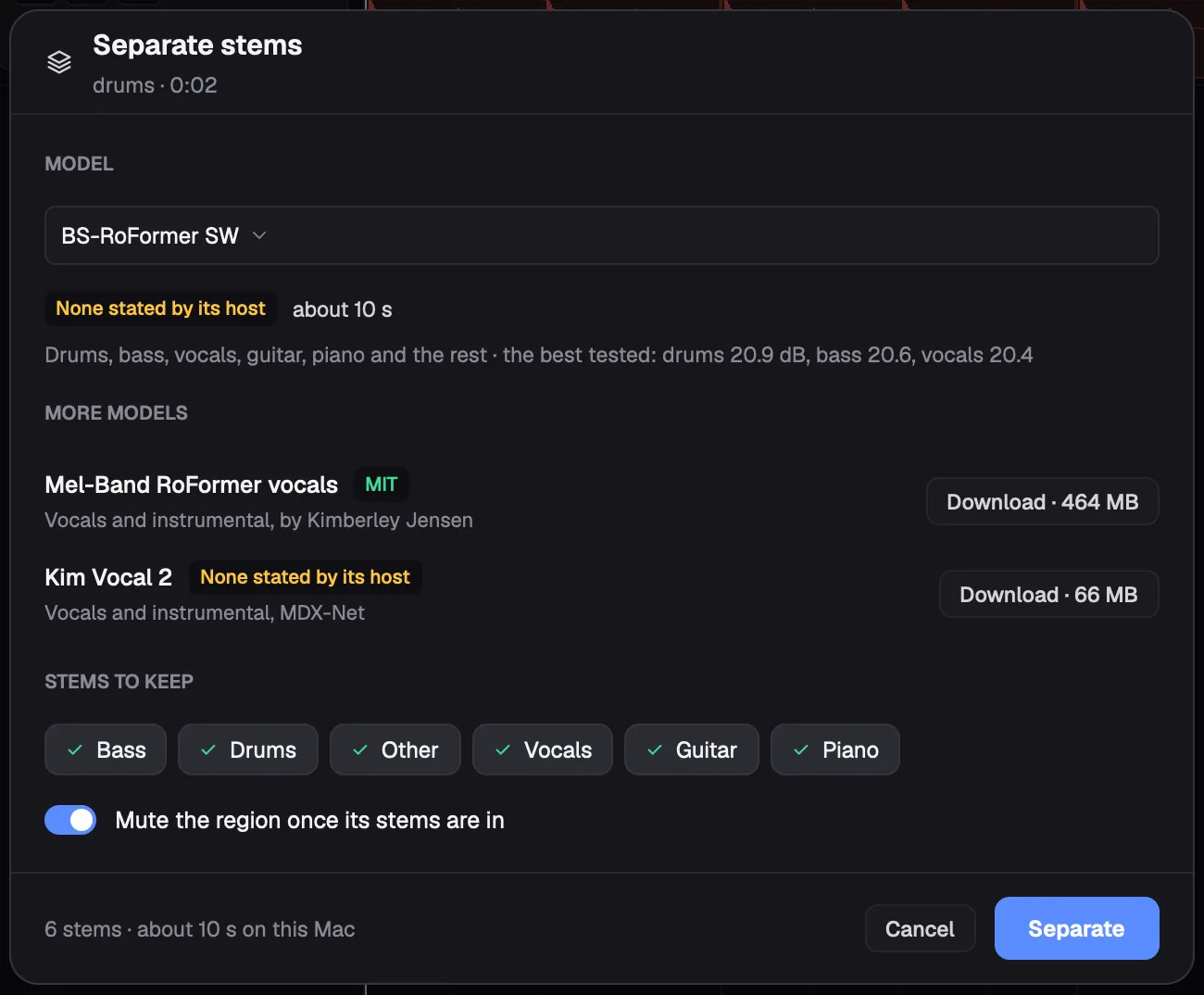
Vocals, drums, bass and the rest, by a separation model you add: Pina Studio ships none and downloads none without you. Each stem lands on a track of its own in a stack, playing as the region did. On Apple silicon and Windows.
Listen
Two songs. Take them apart.
Midnight Drive was made entirely with pina do commands, the way an agent would make it, on Pina Studio's built-in instruments. Corner Store Blues is the boom-bap beat from the replay, on real samples. These are their real stems, bounced with pina bounce --stems. Mute them, solo them, and the light follows whatever is left.
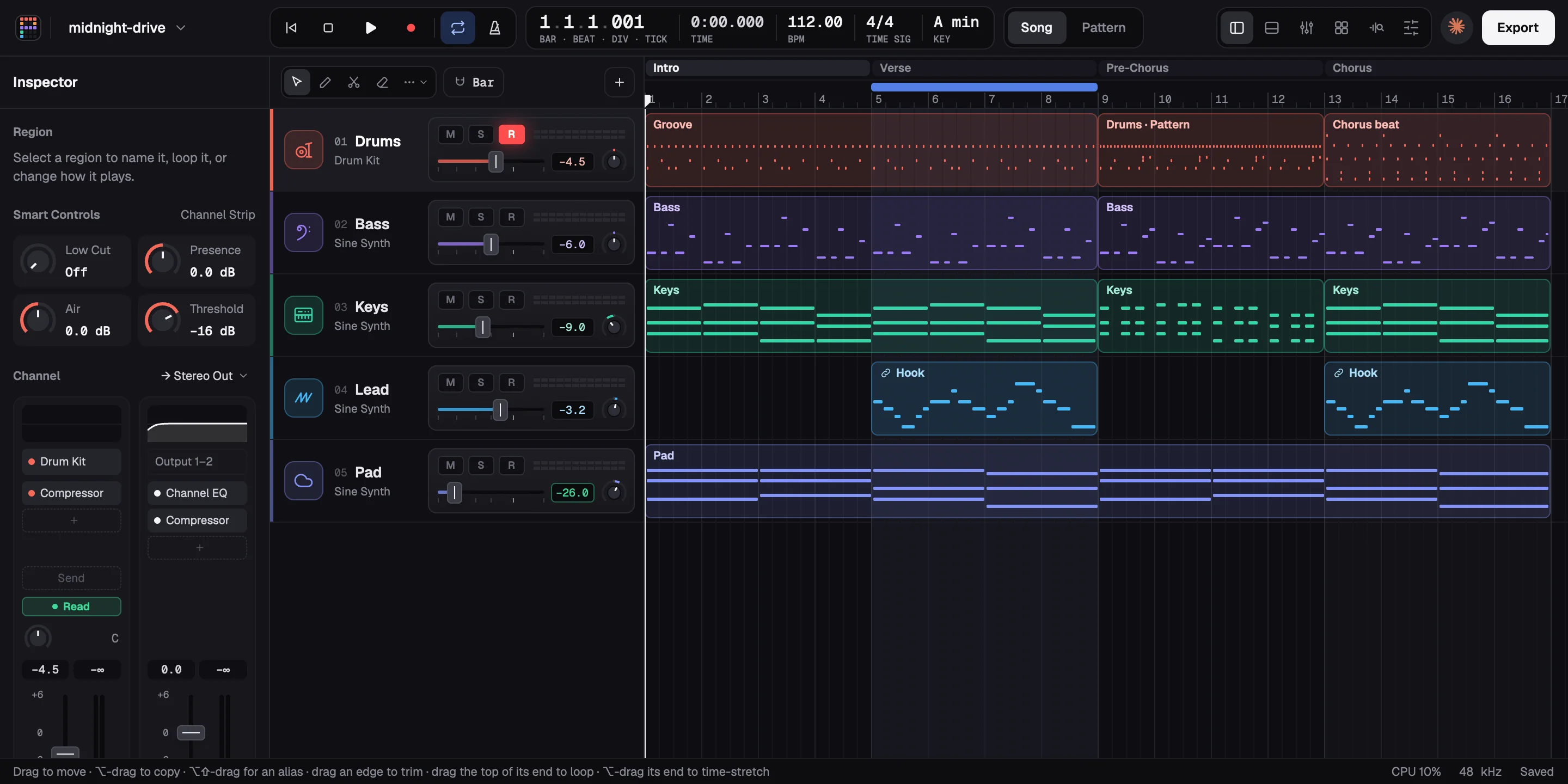
Five stems, about 2.3 MB. Nothing loads until you press play.
- Drums
- Bass
- Keys
- Lead
- Pad
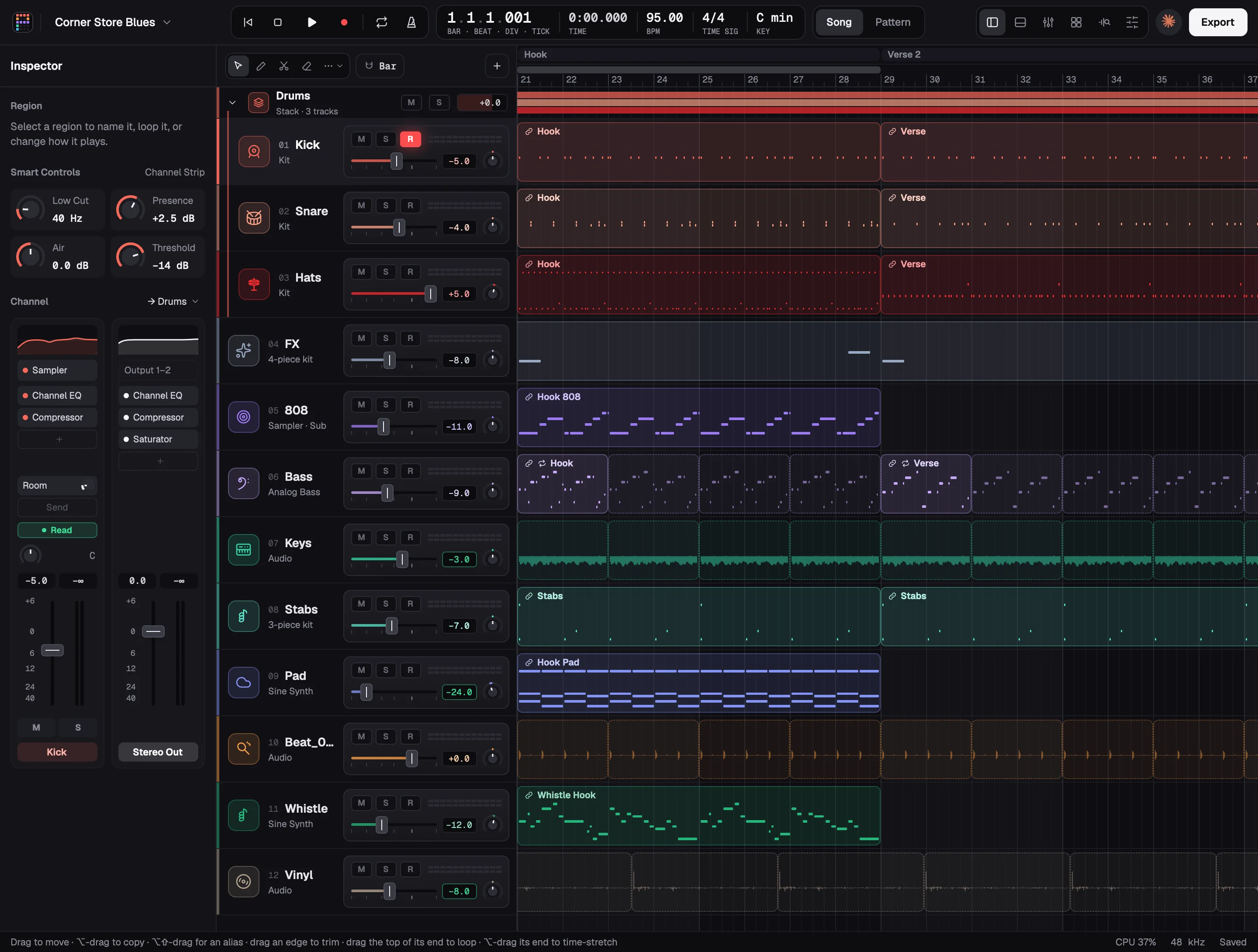
Six stems, about 2.8 MB. Nothing loads until you press play.
- Drums
- 808
- Bass
- Keys
- Stabs
- Pad & Whistle
A whole studio
The agent's studio is your studio.
Everything the agent touches is a real part of a real studio, and none of it needs an agent. Play it, write it, shape it and mix it yourself, with your own plugins.
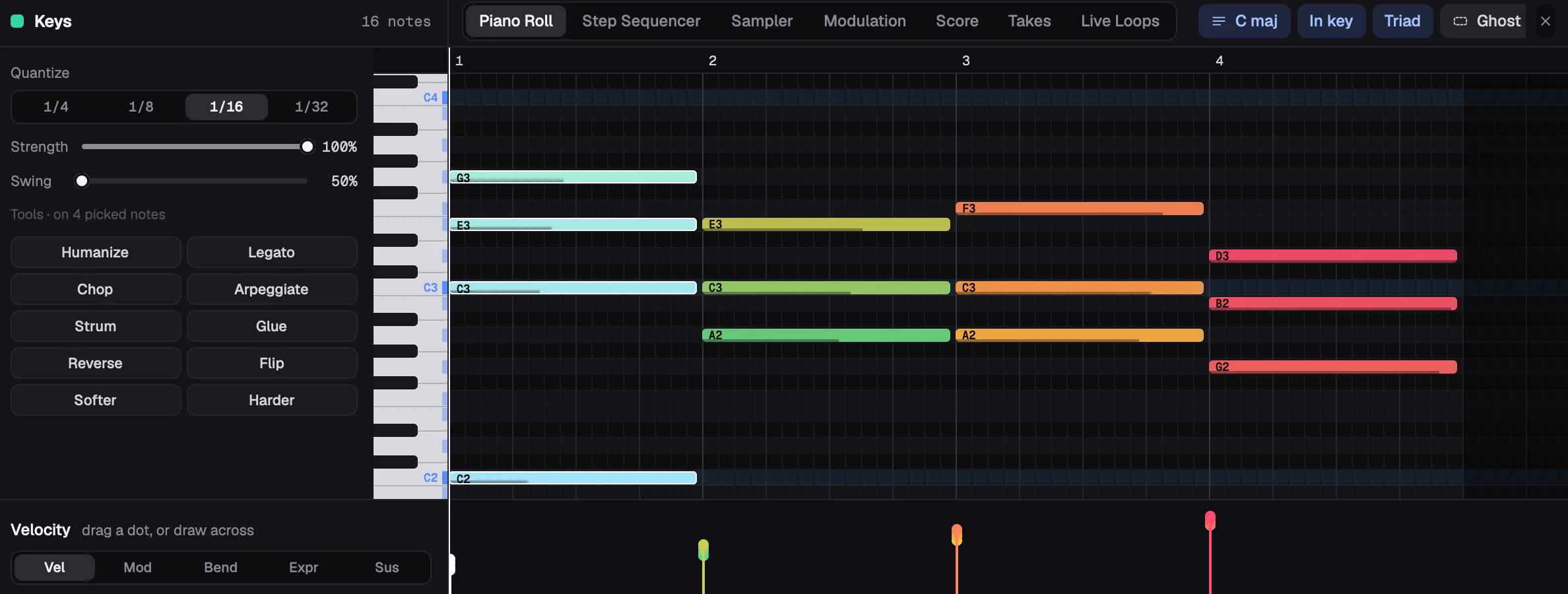
Chords as coloured notes, the chord names on the ruler, quantize and swing, tools that humanize, strum, chop and arpeggiate, a chance on every note, and MPE: each note's own pitch, slide and pressure. Plus MIDI FX, score view, musical typing, and MIDI and audio recording.
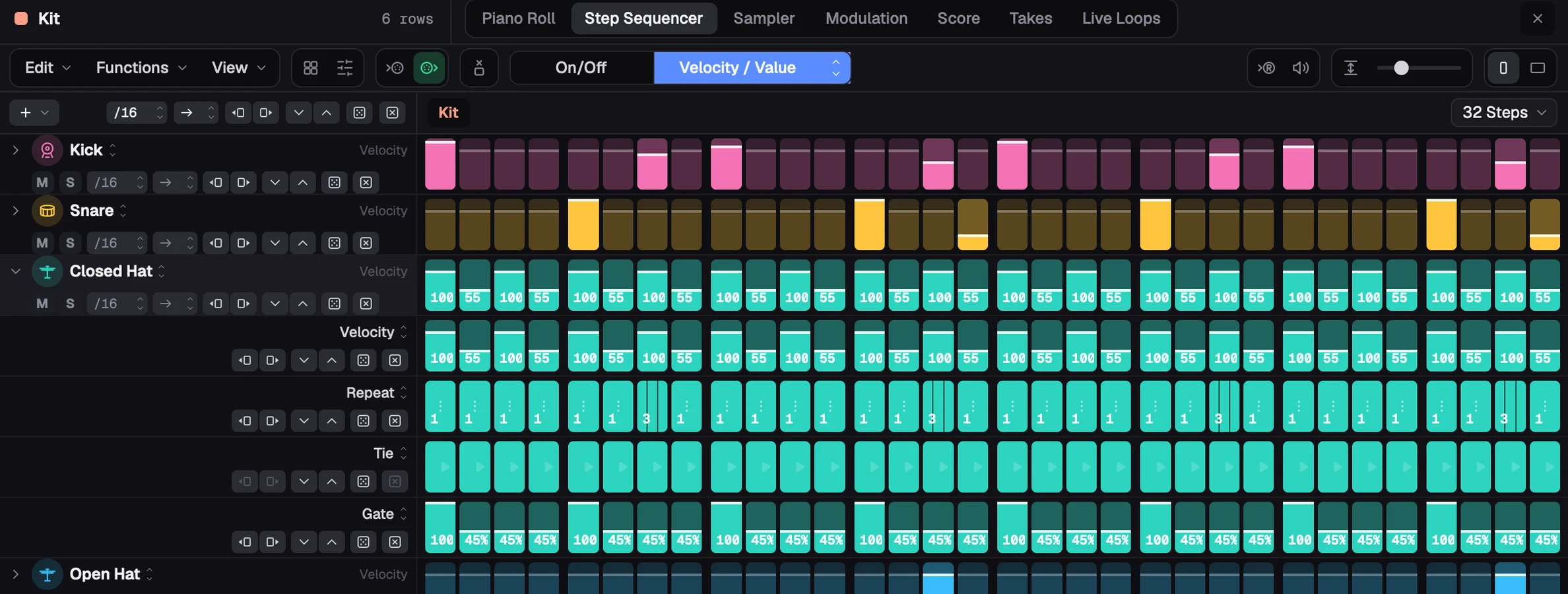
Rows of steps, each with its own loop, rate and way through (forward, backward, ping-pong, pendulum, wander, shuffle, random), and every step its own velocity, gate, tie, note, octave, repeat, chance, offset, rate and skip, a subrow each. Automation rows, a pattern browser, learn and live recording.
LFO, steps, envelope, follower, random and macro, up to 24 on a track, on any setting and any plugin parameter, and shared across a stack; an LFO's rate any length from a 64th to 32 bars, straight, triplet or dotted. Automation on every control too: Read, Touch, Latch, Trim and Write, with curves and shapes.
Up to 24 bands, dynamic bands, natural and linear phase, spectral dynamics, EQ Match, Spectrum Grab, and collisions with another track. A compressor and a saturator beside it.
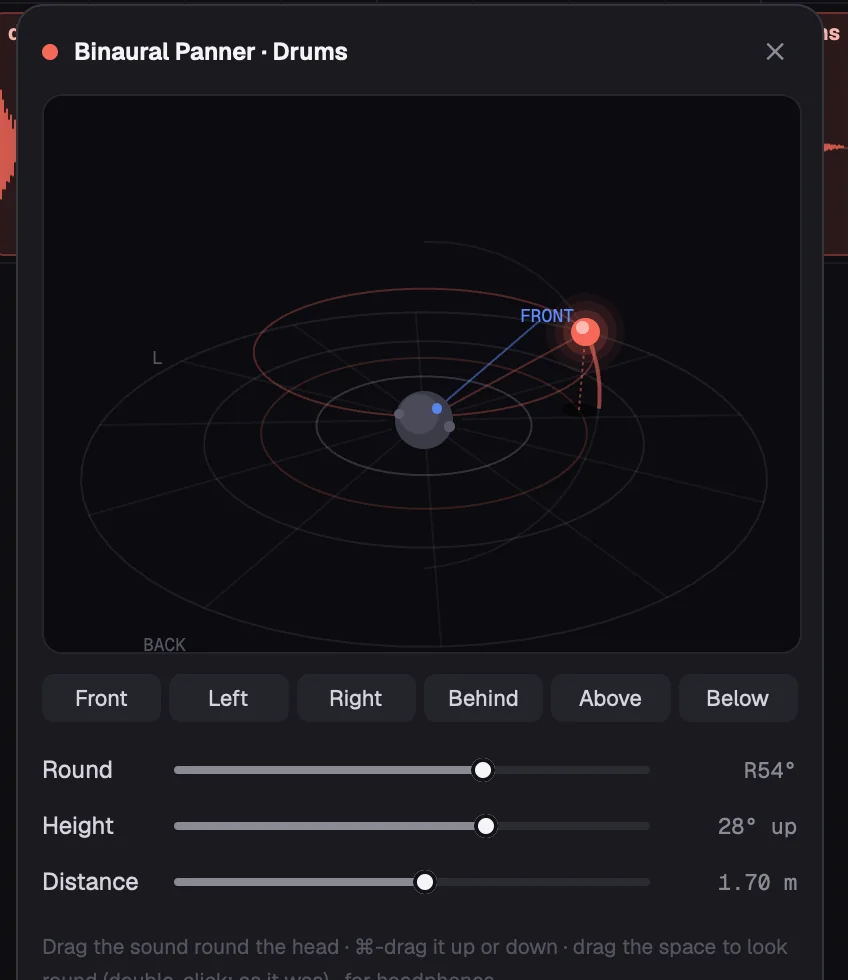
A binaural panner that places a sound all round the head: in front, beside, behind, above or below. Made for headphones.
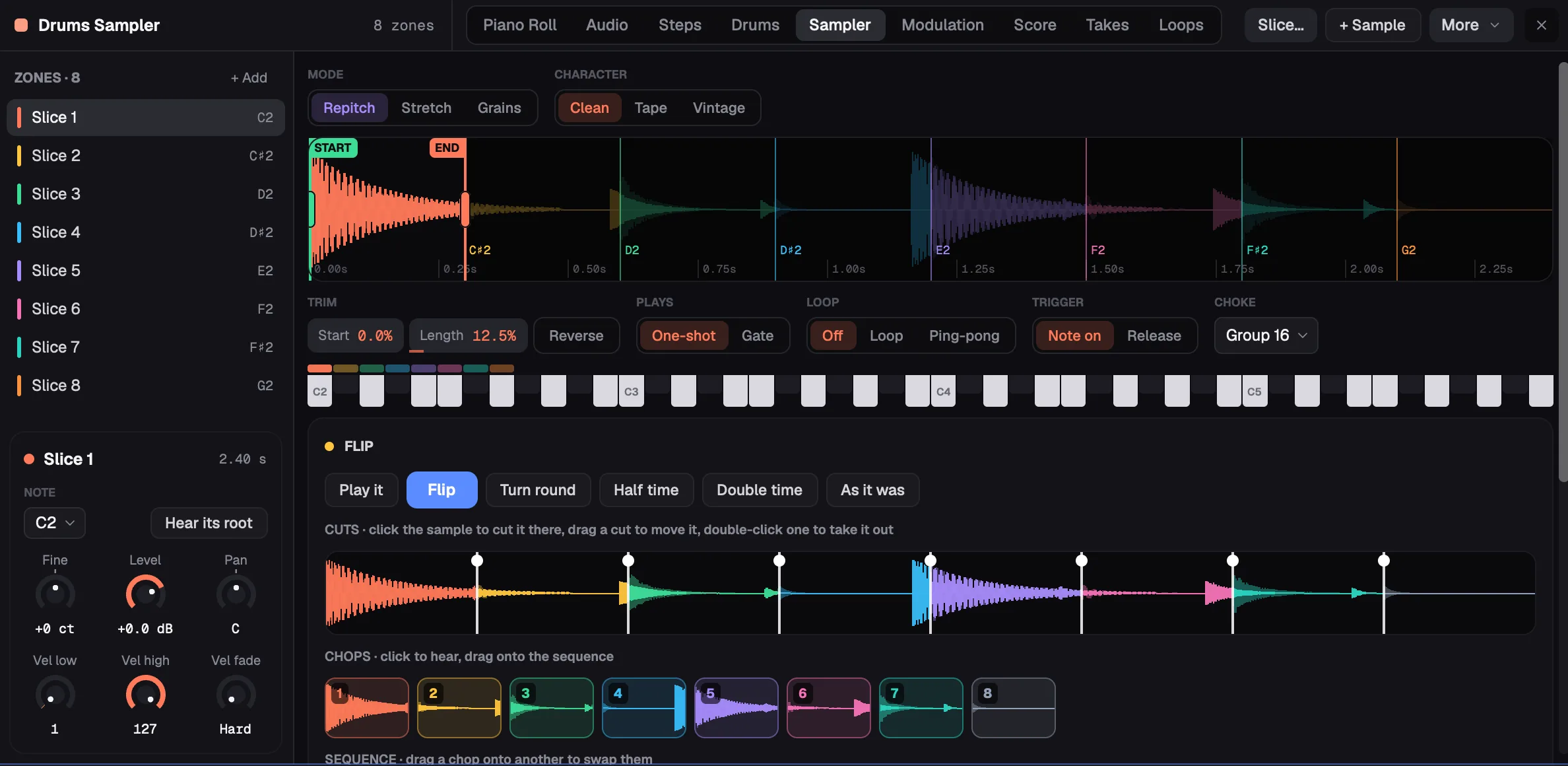
Repitch, Stretch or Grains; filters, envelopes and its own modulation. Slice a sample at its hits or on the grid, then Flip it as on an MPC: drag where it's cut, swap and stutter chops, turn it round, half or double time, and hear it alone. And a drum rack: sixteen pads at a time, each its own Drum Sampler with layers, chokes and a playback effect, macros across the kit, and hot-swap for the next sound like it.
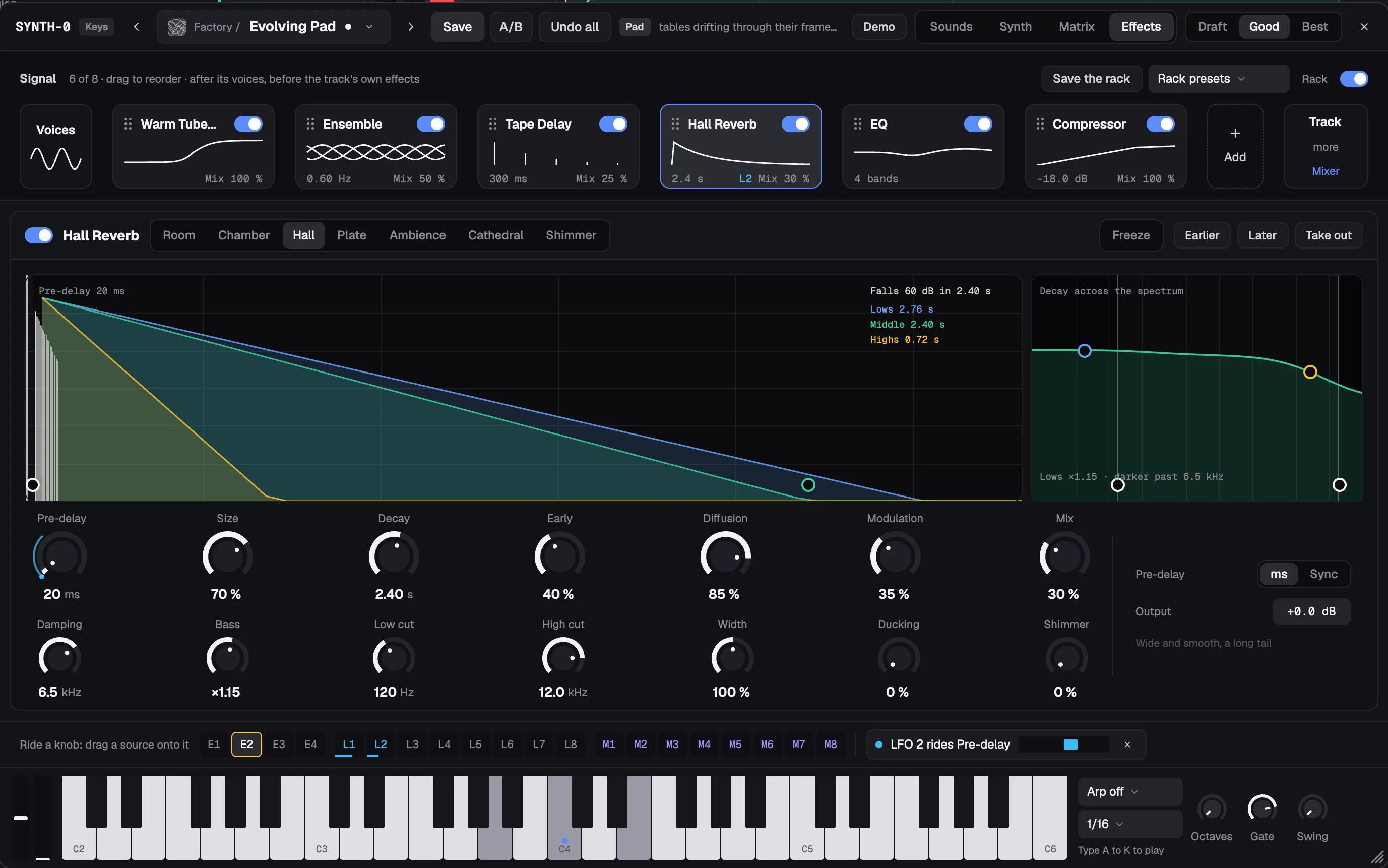
Synth-0, Pina Studio's own synth: its sources, filters, envelopes and a modulation matrix laid out the way sound flows, eight named macros on every patch, a rack of its own effects, and a library of sounds to search by name or by sound.
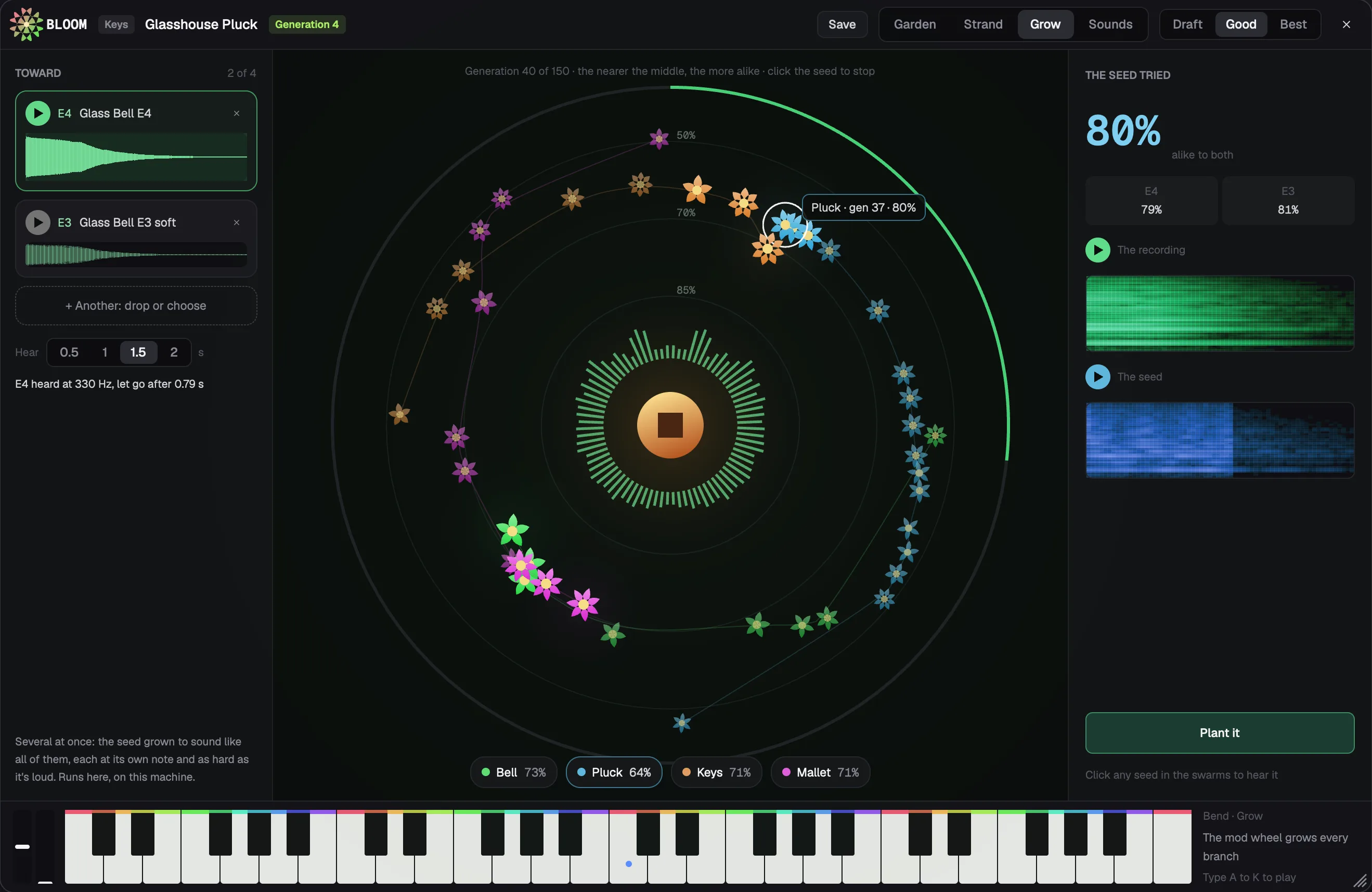
Bloom grows sounds from a seed of 48 genes: pick the ones you like, steer the next generation toward them, and keep a sound when it's right.
Arrange
Regions that loop, trim, fade and time-stretch. Markers, cycle, aliases, take folders with comping, Live Loops, track stacks, sends and aux buses, and plugin delay compensation.
Plugins
VST3CLAPVST2Audio Units
Scanned, played and automated, with their own windows shown. Audio Units on macOS.
Bounce
The mix, stems or sections, to a loudness, with tails. Unsaved edits are kept every 30 seconds and offered back.
- Space plays
- R records
- C cycle
- K metronome
- ⌘L Studio Agent
Open by default
Read it. Build it. Change it.
MIT licensed and written in Rust from top to bottom. The interface is drawn on the GPU; the built-in effects and instruments are Pina Studio's own DSP, in Rust too. And it works with whichever agent you like.
- License
- MIT
- Written in
- Rust
- Interface
- Drawn on the GPU, with gpui
- Effects and instruments
- Its own, in Rust
- Agents
- Claude Code and Codex built in; any other through MCP or the CLI
- Runs on
- macOS, Apple silicon and Intel · Windows x64
Add it to Claude Code
Any agent, through MCP
An MCP server with 39 tools:
- show
- edit
- analyze
- render
- critique
- mix
- master
- stems
- slices
- lyrics
- synth_sounds
- samples
- plugins
- and more
Or one command at a time
pina do <song> '<json>' changes a song one command at a time; pina describe lists every command.
Build it from source
It's late. Make something.
Pina Studio is free and open source, for macOS and Windows.
macOS
Apple silicon and Intel. A disk image with an installer.
Disk image (.dmg)It isn't notarized yet. If macOS won't open it: System Settings › Privacy & Security › Open Anyway.
Windows
x64. A per-user installer, no administrator needed, or a zip.
Installer (.exe) ZipThe installer isn't code-signed yet. If SmartScreen stops it, choose More info › Run anyway.